











Choose the help you need
Reference only: these buttons do not change game bindings, pause the story, or save progress.
Desktop controls
Click inside the loaded frame. Use WASD to move, the mouse to look, Space to jump, and E to interact. Test one action at a time; current on-screen instructions take priority.
Home looks different from the floor
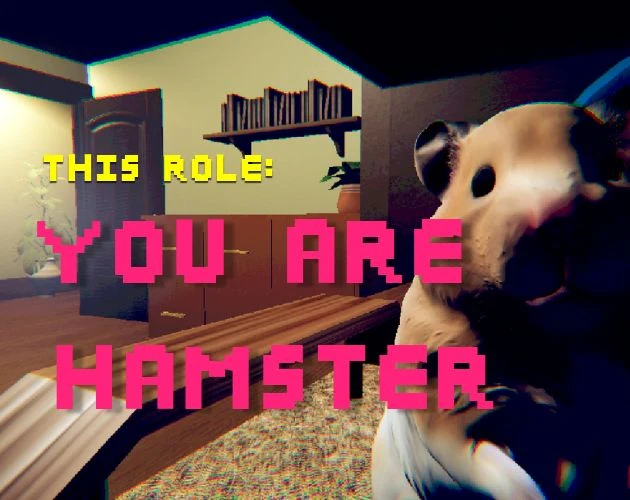
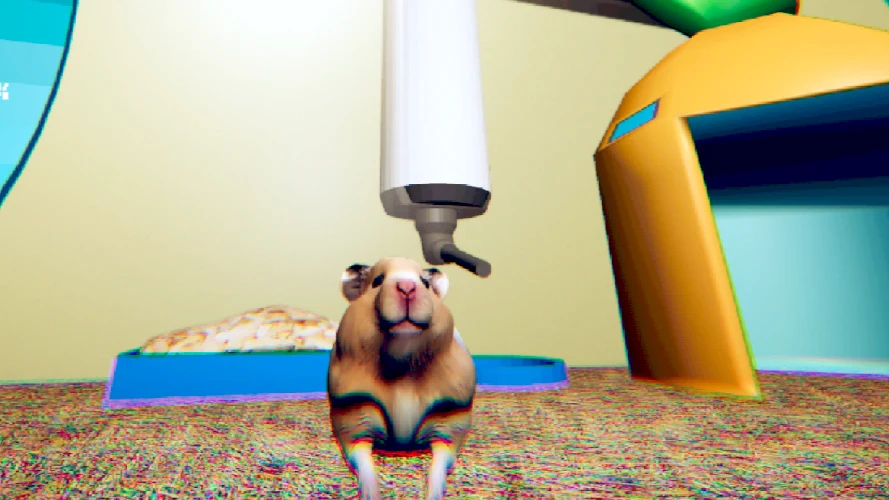
You Are Hamster brings a small, comic protagonist into the uneasy domestic territory familiar to Home Is Where He Is readers. The connection is atmosphere, not a shared story. SeenThai's game places you in an owner's room and asks you to inhabit an unusual role within a short horror-comedy experience.
The basic premise concerns a hamster noticing something the owner does not. That does not establish a relationship route, a dialogue system, or an ending checklist. It establishes a difference in perspective. A room can be familiar to one character and deeply strange to another without needing a large map or a long list of objectives.
This page is designed for a first visit with minimal plot exposure. The player comes first, followed by a practical reading guide, source images, an input reference, and optional videos. Choose how much help to read rather than assuming you must study a complete walkthrough before starting.
Choose a moment when you can stay
The original is described as roughly ten minutes long, without pause or save features. Plan around the absence of saving more than the estimated duration. A short experience can still take longer when you are learning controls, waiting for files, or taking a moment to understand what changed.
Before launching, decide whether you are likely to be interrupted. Set your sound level, close competing audio, and choose a comfortable display size. This small preparation reduces the temptation to switch applications halfway through an unfamiliar scene and then wonder whether the game stopped.
If you must leave, do not treat that as a failure. Simply expect that returning may require another start. Keeping a browser tab open, installing this website, or checking an item in a guide is not equivalent to creating a save inside an external game.
Cross the boundary into the player
The cover belongs to the website until you press Play. After that, the supplied browser game loads in its own frame. The two interfaces remain separate even though they appear together. The guide can explain an input, but it cannot know whether your character has performed it.
Click inside the scene before trying WASD. If keys affect the page or appear to do nothing, release them and refocus the frame. This simple boundary check is useful whenever you return from reading a section or using a video below the player.
Fullscreen is a display option rather than a gameplay mode. If the browser declines the request, an ordinary frame and direct-game link remain available. Opening the direct address creates another document, so choose it with the understanding that the current run is not being transferred.
Learn the room through a few reliable references
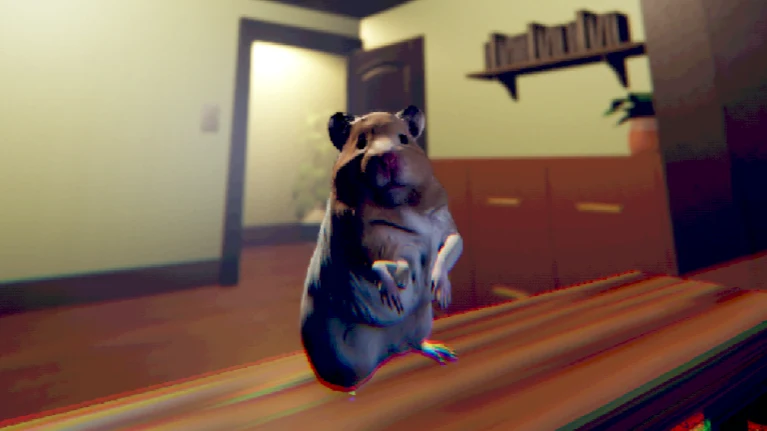
At hamster scale, furniture becomes a strong part of the composition. The source images include cabinets, a shelf, a doorway, and cage equipment. Pick one recognizable shape before turning away. If the new view feels disorienting, look for that reference again instead of making several large movements together.
This does not mean every recognizable object has a function. A shelf can help you orient yourself without containing a required item. A bright doorway can be easy to notice without being a promised exit. Keeping orientation separate from objectives prevents a visual reference from becoming an invented instruction.
The images are examples supplied by the author, not a current-state map. They cannot show what you have triggered, and their camera positions may not match the hosted build. Use them to understand scale and mood while allowing the game itself to communicate the next interaction.
Move, look, and interact as separate questions
The published controls use WASD to move, Space to jump, and E to interact. The browser entry adds mouse-looking guidance. Practice one action at a time. When a scene responds, you should be able to tell whether the change followed movement, a camera adjustment, or an interaction.
If you are near something that seems important, inspect the current prompt before repeatedly pressing E. Try once, watch, and adjust carefully if there is no response. Holding several inputs can create confusion without helping you learn what the scene expects.
The reference selector on this page has no connection to the game's bindings. It changes the explanation you are reading, not the character's abilities. Similarly, a touch interface drawn by the host should be tested on its own terms rather than assumed to reproduce every keyboard action perfectly.
Read an unsettling moment without rushing its meaning
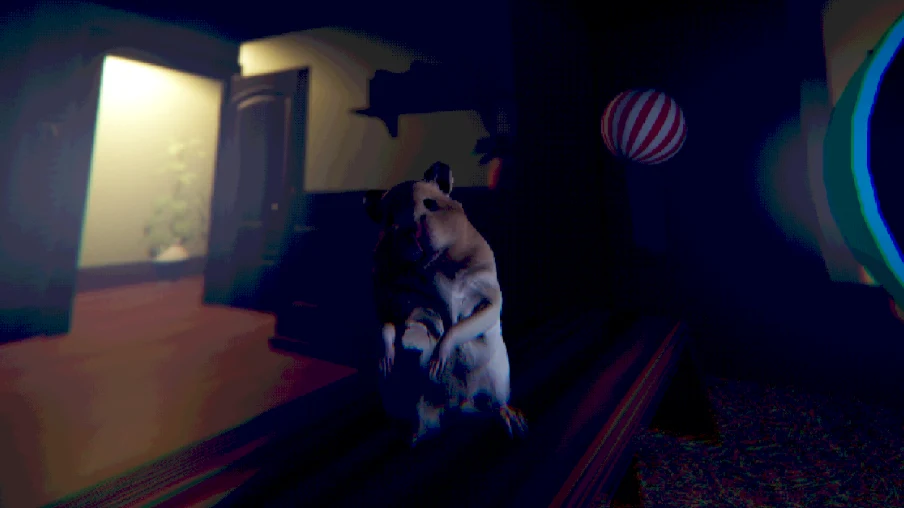
Domestic horror often relies on the contrast between ordinary surroundings and a detail that feels wrong. You do not need to explain that contrast immediately to continue enjoying it. Notice the change first and leave room for the next scene to add context.
The hamster's appearance also introduces absurdity. A humorous moment can coexist with discomfort, and neither tone proves a particular mechanic. The page therefore avoids inventing enemy behavior, hidden affinity values, or a supposedly correct emotional response.
If you prefer a spoiler-light run, keep the reference videos closed until you encounter a specific obstacle. A small amount of footage can reveal a large part of a short experience. Reading the basic controls preserves more uncertainty than watching an entire playthrough before entering the room yourself.
Make sensible choices about sound and screen space
Use a sound level that lets you follow the presentation comfortably. There is no benefit in making the experience unpleasant merely because it is labeled horror. If background media competes with the game, close or mute that media rather than increasing every volume control.
On a small screen, check whether the visible controls can actually be reached. The supplied host loads touch support, but this page has not verified every handset or complete mobile run. A successful opening screen is a narrower result than being able to move, look, jump, and interact throughout the experience.
If essential controls remain inaccessible, try a desktop setup rather than repeatedly restarting the same uncomfortable view. Changing device may require a fresh attempt. Browser zoom and fullscreen can affect presentation, but neither is a promise that a game designed around different inputs will become fully accessible.
Ask the videos a narrow question
Both embedded videos are optional. They are third-party footage, not an official record of your session. The source selection does not establish that the recorded edition and the browser host have identical timing or presentation.
When consulting one, decide what you need: an example of movement, a recognizable scene, or the visible response to an interaction. Stop when that question is answered. Copying a long sequence can be misleading if the recording has already passed an event that your session has not reached.
Remember that the recording and the game have independent clocks. A paused video does not pause the game. If a detailed search for help would interrupt your attention for a long time, it may be more comfortable to study the reference before a later fresh attempt.
End the visit without mistaking a page for a save
A refresh reloads the website and may restart the game. A navigation link opens another page. A browser's history is not an inventory of completed scenes. Keeping these actions distinct prevents the surrounding interface from making promises that the original game never offered.
For technical trouble, report what you can observe: the device, browser, host message, visible scene, and input that failed. Do not send private credentials or assume that a strange story event is a loading error. A clear description is more useful than a long series of unrecorded refreshes.
When you choose another game from the shared cards, its rules begin again. You Are Hamster belongs here as a brief, peculiar visit to an unsettling room, not as a chapter of Home Is Where He Is. The guide supports that visit while leaving the story's later moments for you to encounter.
Recognize the difference between revisiting and resuming
Returning to a room in a story and reopening a browser page are not the same operation. The first may be an event inside the game; the second reloads a document. A familiar image after reopening does not establish that your previous state was restored.
If you keep several tabs open, identify which one contains the run you intended to continue. The embedded frame and a directly opened host can look similar while representing separate instances. Avoid testing controls in both and assuming they share progress.
When leaving fullscreen or returning from a reference video, re-establish focus carefully. Release keys before clicking back into the game, then test a brief movement. This prevents a simple interface boundary from being interpreted as a new story event or an unresponsive scene.
It can help to decide in advance how much uncertainty you want to resolve. You might want only enough guidance to get the controls working, or you might prefer to watch footage before another attempt. Both are reasonable, but the page should not choose spoilers for you by presenting every later moment as essential preparation.
A considerate recommendation to another player can stay at the level of premise, tone, and input needs. Explain that it is a short horror comedy with direct movement and limited session persistence. Leave the later details for them unless they ask.
That approach matches the purpose of this collection: help readers enter a game with clear expectations, preserve the things that make it distinct, and avoid treating every strange domestic setting as a continuation of the same narrative.
If a question remains after one visit, keep it as a question. A second attempt or a video may clarify it, but uncertainty is not a reason to manufacture a mechanic. The room can remain strange while the practical information about controls, focus, and browser behavior stays clear.
You Are Hamster video references
Optional third-party footage. Later scenes and differences from this browser edition may appear.
Questions before playing
Is the story connected to Home Is Where He Is?
No. It is recommended for its unsettling domestic atmosphere, not as a continuation of this site's main game.
What is the starting premise?
You inhabit a hamster in an owner's room and notice something the owner cannot see.
Which desktop controls are documented?
WASD moves, Space jumps, and E interacts. Mouse looking is listed by the browser host.
Can the website remember the scene?
It cannot read or save the external game's progress.
Why refocus after reading the guide?
A link or media player may hold keyboard focus. Click the game before testing movement again.
Does opening the game directly transfer my run?
No. It creates another page and should be treated as another game instance.
How do I avoid spoilers?
Use the input and browser notes first, and watch reference footage only for a specific question.
What if I need to leave suddenly?
Leave when necessary, but expect to restart; the original advertises neither pause nor save.
Original game and reference artwork by SeenThai. The Windows original and supplied browser host are distinct presentations. This guide does not claim an officially supported mobile release.